
Forget noisy local servers that are expensive to maintain and complicated to manage. Think about how much time you waste every day hunting for an important file among endless emails, lost USB sticks, and messy folders on your team's computers. This chaos not only slows down your productivity, but also poses a huge risk to the security of your company data.
OneDrive for Business is the solution to this problem. It's not just an online storage facility, but the true heart of your digital office. Think of it as a central safe, always accessible, where all your business documents—contracts, invoices, marketing materials, project reports—live in one secure place. This guide will show you how to get the most out of it to make your SME more agile, secure, and collaborative.
But be careful: storing data securely is only half the story. The real competitive advantage comes when you turn that data into decisions. Storing 10,000 invoices on OneDrive is useful; analyzing them to identify payment patterns, seasonality, or at-risk customers is strategic. And that's where AI becomes your ally.
The real power of this platform lies in transforming the way your team works. It's not just about saving files, but making them alive, dynamic, and collaborative.
The adoption of the cloud in Italy has accelerated dramatically, and solutions such as OneDrive for Business have been decisive. Today, 60% of Italian companies' data is in the cloud, a huge leap from 30% in 2015. Plans such as Microsoft 365 Business Basic and Standard provide up to 1 TB of space per user, finally making this technology affordable for SMEs. To better understand this transition, you can find excellent insights by reading more about Microsoft storage solutions.
Essentially, OneDrive for Business is not just a tool, but a strategic choice. It allows an SME to operate with the efficiency and security of a large company, protecting its most valuable resource: information.
Adopting it means simplifying processes, giving collaboration an extra boost, and, above all, building a solid and secure foundation for the growth of your business.
Understanding when to use personal OneDrive, OneDrive for Business, or SharePoint can be confusing. In reality, the distinction becomes very clear when you look at it from a practical perspective, thinking about how your office works. Each tool has a specific purpose, and choosing the right one is the first step toward optimizing workflows and team productivity.
Let's try to imagine them like this:
This infographic helps you visualize the first, fundamental question to ask yourself when deciding where to save a file.
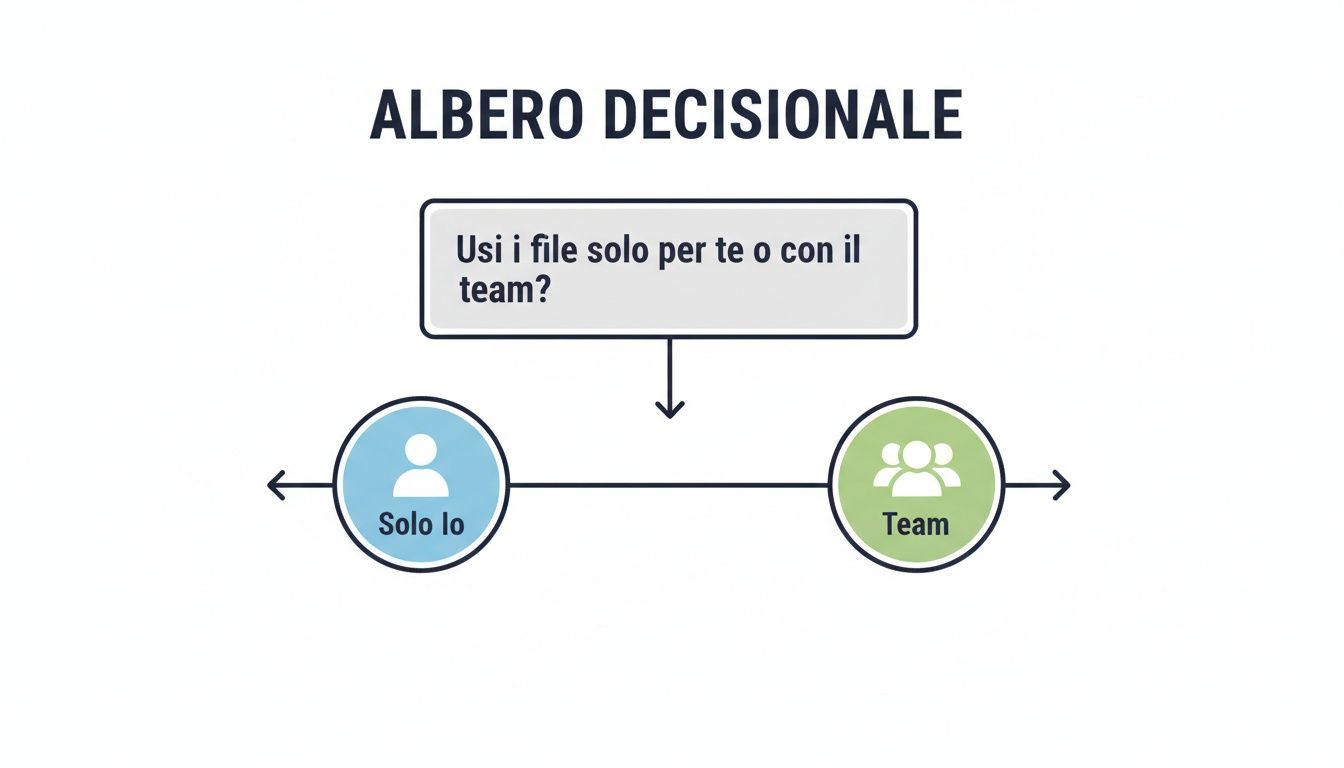
The choice, therefore, depends entirely on the ownership and purpose of the file: if it is a personal work document, its place is on OneDrive for Business; if, on the other hand, it is a file intended for group collaboration, it goes straight to SharePoint.
To make your choice even easier, we have compared the key differences in a table. This will give you an overview of their features and ideal usage scenarios, allowing you to get the most out of the Microsoft 365 ecosystem.
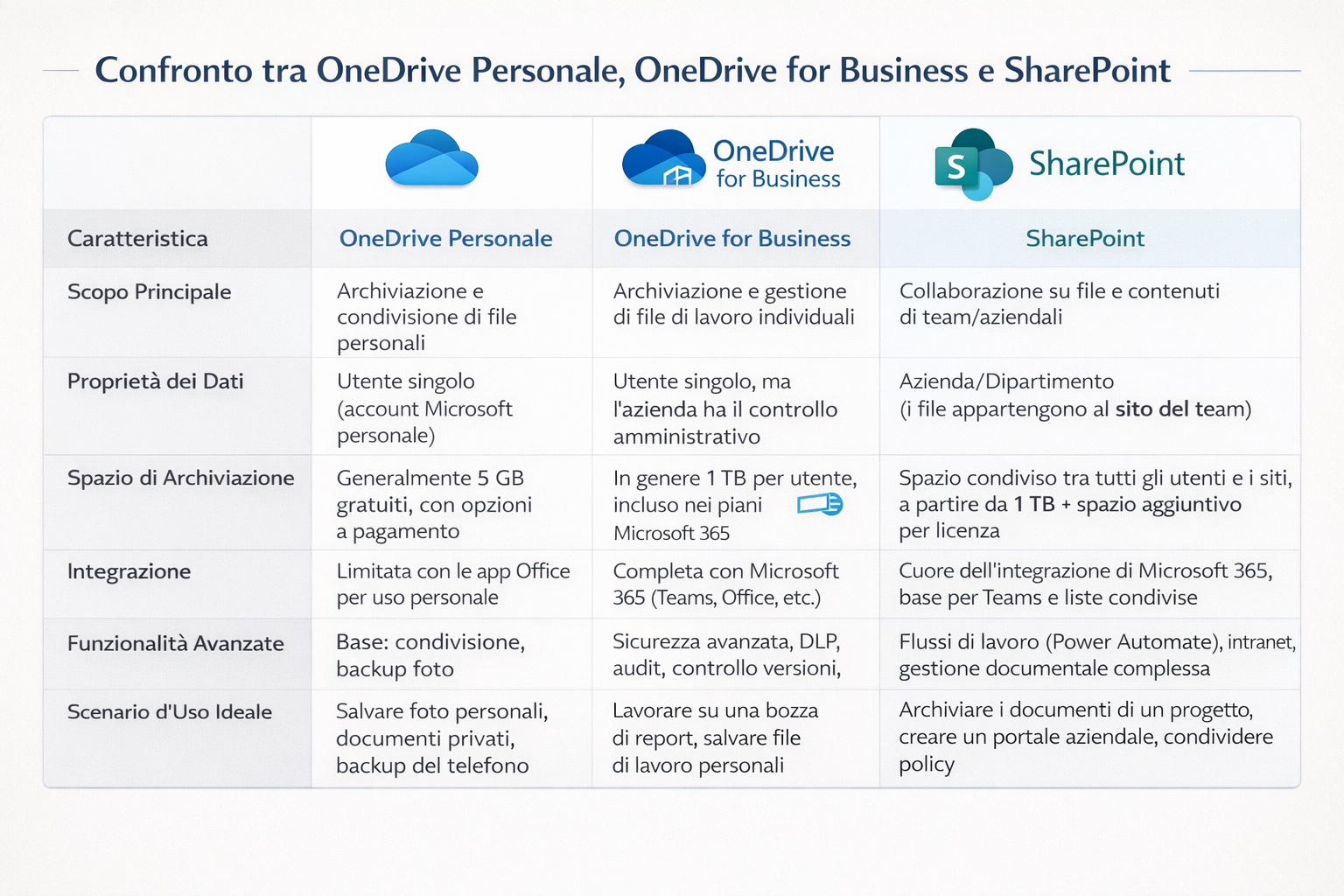
The golden rule is simple: " My file" goes in OneDrive for Business. " Our file" goes in SharePoint. This distinction is key to maintaining order and ensuring that crucial information is always accessible to the right team, even if a colleague leaves the company.
Making the right choice is not just a matter of order, but a strategic decision. Using OneDrive for Business for personal work files ensures that data always remains under company control, protected by security policies and easily transferable. At the same time, using SharePoint as a central repository for teams prevents the creation of information silos and promotes a culture of transparent and efficient collaboration.
Thinking of OneDrive for Business as just an online hard drive is like saying that a smartphone is only for making phone calls. The truth is that it is a real productivity engine, designed to oil the wheels of teamwork and streamline everyday processes.
The basic idea is simple: eliminate all those obstacles that slow you down, such as hunting for the latest version of a file or being unable to access an important document when you're out of the office. Every tool is there to save you time and effort.
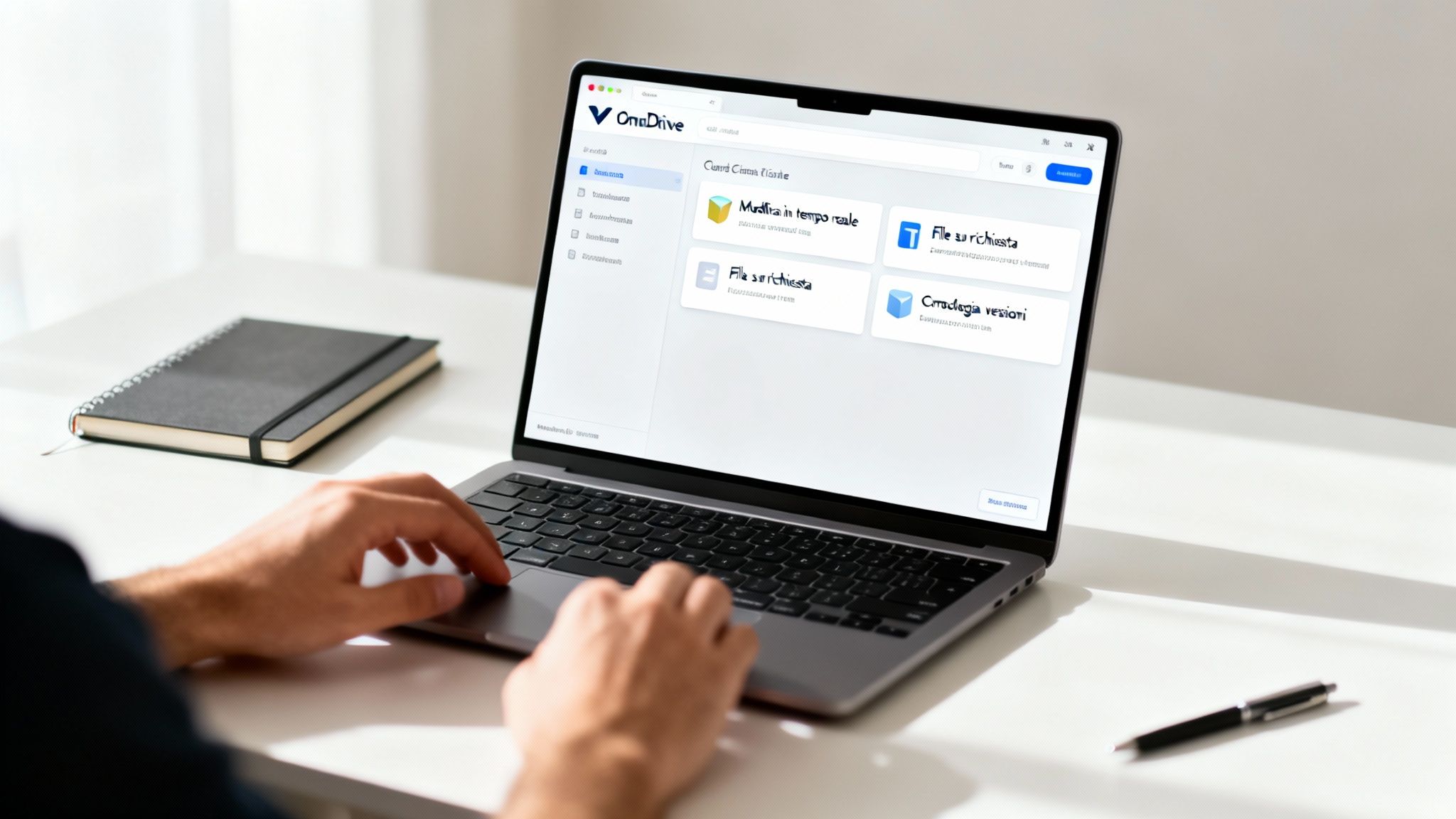
Co-creation (or co-authoring) is probably the most revolutionary feature. It allows multiple people to work on the same Word document, Excel spreadsheet, or PowerPoint presentation at the exact same time.
Imagine a sales team that needs to finalize a complex quote. Instead of exchanging dozens of emails with attachments like "quote_v2_final_MODIFIED.docx," everyone can work on their own section while seeing what others are doing in real time. The chaos of multiple versions disappears, replaced by a single file that is always up to date.
This not only drastically reduces review time, but also ensures that everyone is looking at the exact same thing.
Modern laptops often have fast SSD drives, but they aren't huge. That's where the Files On-Demand feature comes in handy. It lets you view and browse your entire OneDrive for Business library directly from Windows File Explorer or macOS Finder, without those files taking up a single byte on your local drive.
The files appear as simple placeholders and are only downloaded at the exact moment you open them. In practice, you can have terabytes of data at your fingertips using only a few megabytes of physical space on your computer.
What if you need to work offline? No problem. You can choose to make specific folders, such as the one for ongoing projects, "Always available offline." That way, those files will always be physically on your PC, ready for when you don't have a connection.
Sharing files with colleagues, customers, or suppliers is part of everyday life, but security is not optional. OneDrive for Business gives you precise control over how information is shared.
When you create a share link, you can set very specific rules:
This level of control is essential for protecting company data and ensuring peace of mind, knowing that no one will see things they shouldn't.
How many times have you accidentally deleted an important part of a document or saved changes that turned out to be a disaster? Version history is your safety net.
Every time a file is modified and saved, OneDrive keeps a copy of the previous version. If something goes wrong, you can simply go back in time and restore the version you need with just a couple of clicks.
It's a feature that literally saves work, especially when multiple people are collaborating on the same document, ensuring that human error can never wipe out hours of effort.
For an SMB, a data breach is not just a minor setback. It can be catastrophic. The good news is that OneDrive for Business is built with security in mind, giving you enterprise-grade tools to protect your company's most sensitive information. And you don't need to be a cybersecurity expert to sleep soundly at night.
File protection kicks in the moment they are uploaded. Every single document, spreadsheet, or presentation is wrapped in strong encryption, both when it is stored on Microsoft servers (data at rest) and while it is traveling over the internet (data in transit). In practice, even if a malicious actor were to intercept the data, they would be faced with indecipherable code.
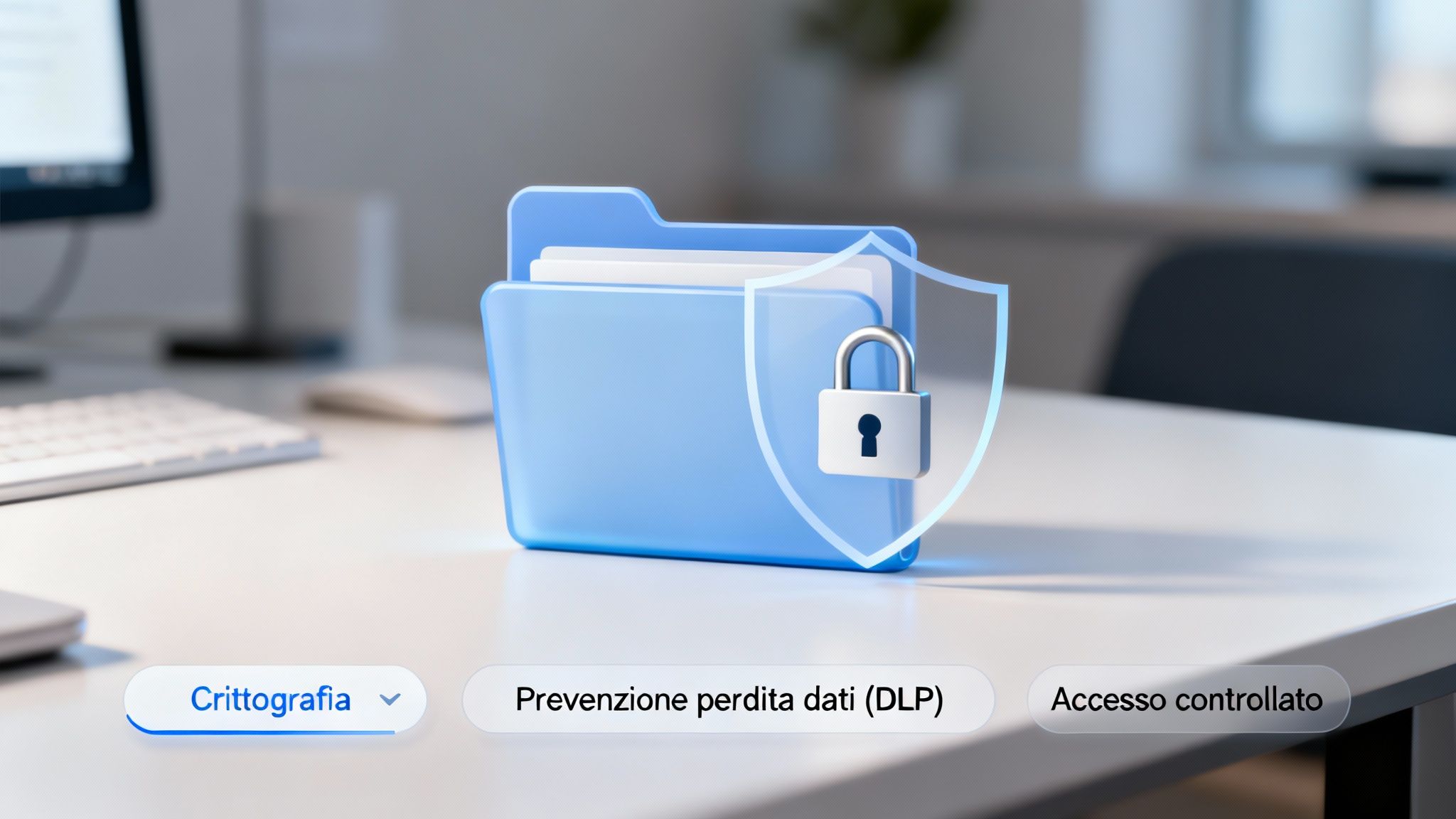
One of the most common human errors? Accidentally sharing confidential information. A price list sent to the wrong contact, a document containing personal data shared publicly... these are scenarios that can prove very costly.
This is where Data Loss Prevention (DLP) policies come into play. These are simply smart rules that you can set to actively monitor and protect sensitive information.
Essentially, DLP acts as an ever-vigilant guardian, helping your employees make the right decisions and protecting the company from mistakes that could have serious consequences.
True security, however, lies in control. The integration of OneDrive for Business with the Microsoft 365 ecosystem, especially with Azure Active Directory, gives you incredibly detailed access management capabilities. It's not just about deciding who can see a file, but also defining the context in which they can do so.
For example, you can set conditional access rules to increase security:
This multi-layered approach transforms your digital workplace into a controlled fortress. Every access is verified, every action is monitored, and every piece of sensitive data remains protected by multiple layers of defense.
A robust data security strategy is essential for mitigating the risks of cyber fraud and money laundering. Implementing these measures is not only good practice, but a real necessity for ensuring business integrity. If you want to learn more about how to build a modern defense, you can explore the Zero Trust security model, an essential foundation in the digital age. With OneDrive for Business, you have the tools to apply these principles and finally take full control of your company's information assets.
OneDrive for Business is no longer just a digital storage space for your files. With the arrival of Microsoft Copilot, it has transformed into a real active brain for your company, capable of understanding and analyzing the content you store. It's not just a simple update, but a paradigm shift in the way you interact with data.
The underlying idea is as simple as it is powerful: transform your documents from passive objects into a source of active intelligence. Instead of searching for information, you can now simply ask for it.
Imagine being able to ask your data a direct question. With Copilot in OneDrive for Business, this is no longer science fiction. You can ask complex questions using everyday language and get immediate answers based on your own documents.
For example, you could ask Copilot:
In just a few seconds, artificial intelligence sifts through files, extracts the information that matters, and returns a summary or a brand-new document. A task that used to take hours is now ready in an instant.
This means that the value of your data no longer lies solely in its content, but in the ability to query it to obtain strategic insights in real time.
The impact is already evident in the numbers. One year after its launch in Italy, 70% of Microsoft's corporate customers have already adopted Copilot. The first pilot projects saw a 25% increase in productivity in the first 11 months, with an average saving of 10 hours per month per user. You can learn more about these results by reading Microsoft's full analysis of Copilot adoption in Italy.
Practical example: A manufacturing company with 30 employees had five years of production reports scattered across Excel and PDF files on OneDrive. Using Copilot, the CFO asked, "What is the average margin per product line over the last 24 months?" In 40 seconds, the AI extracted, cross-referenced, and visualized data from over 200 files. Result: decision to discontinue a loss-making line, with annual savings of €85,000.
OneDrive for Business gives you the foundation: centralized, secure, accessible data.
But the most competitive SMBs add a second layer: AI analytics platforms that automatically transform that data into visual dashboards, predictive reports, and intelligent alerts.
Consider this workflow:
1. **OneDrive** collects invoices, orders, and operational reports
2. **AI Analytics Platform** automatically analyzes them every night
3. **In the morning**, you find reports ready: "Cash flow forecast in 30 days," "Top 10 customers at risk of churn," "Logistics cost trends"
This combination eliminates manual work and speeds up strategic decisions.
It's not science fiction: 68% of European SMEs that have integrated cloud storage + AI analytics report a 30%+ improvement in decision-making speed (Source: Digital SME Alliance, 2024).
The combination of AI and OneDrive for Business goes beyond simple search. It's about automating repetitive tasks and speeding up decisions, a critical factor for SMBs that need to be agile to compete. If you're interested in seeing how AI is creating tailored solutions, you can explore the promises and challenges of industry-specific AI apps.
Think about preparing a quarterly report. Instead of opening dozens of Excel spreadsheets and Word documents to compile the data, you can ask Copilot to do it for you. The AI analyzes the files, identifies key trends, and even suggests which charts to include.
Of course, to use these tools responsibly, it is essential to have guidelines. A guide to the ethical and practical use of artificial intelligence also offers valuable insights in a business context.
This way, your files cease to be a passive archive and become proactive partners. They help you make better and faster decisions, freeing up your team to focus on higher-value activities.
Rolling out a new tool is only the first step. The real challenge is weaving it into the fabric of your business so that it truly works. Successful implementation of OneDrive for Business is never a matter of chance, but rather the result of careful planning and a clear vision. With a few precautions, the transition can be smooth and the return on investment almost immediate.
It all starts with planning. Before you move a single file, it's essential to have a clear idea of where you want to end up.
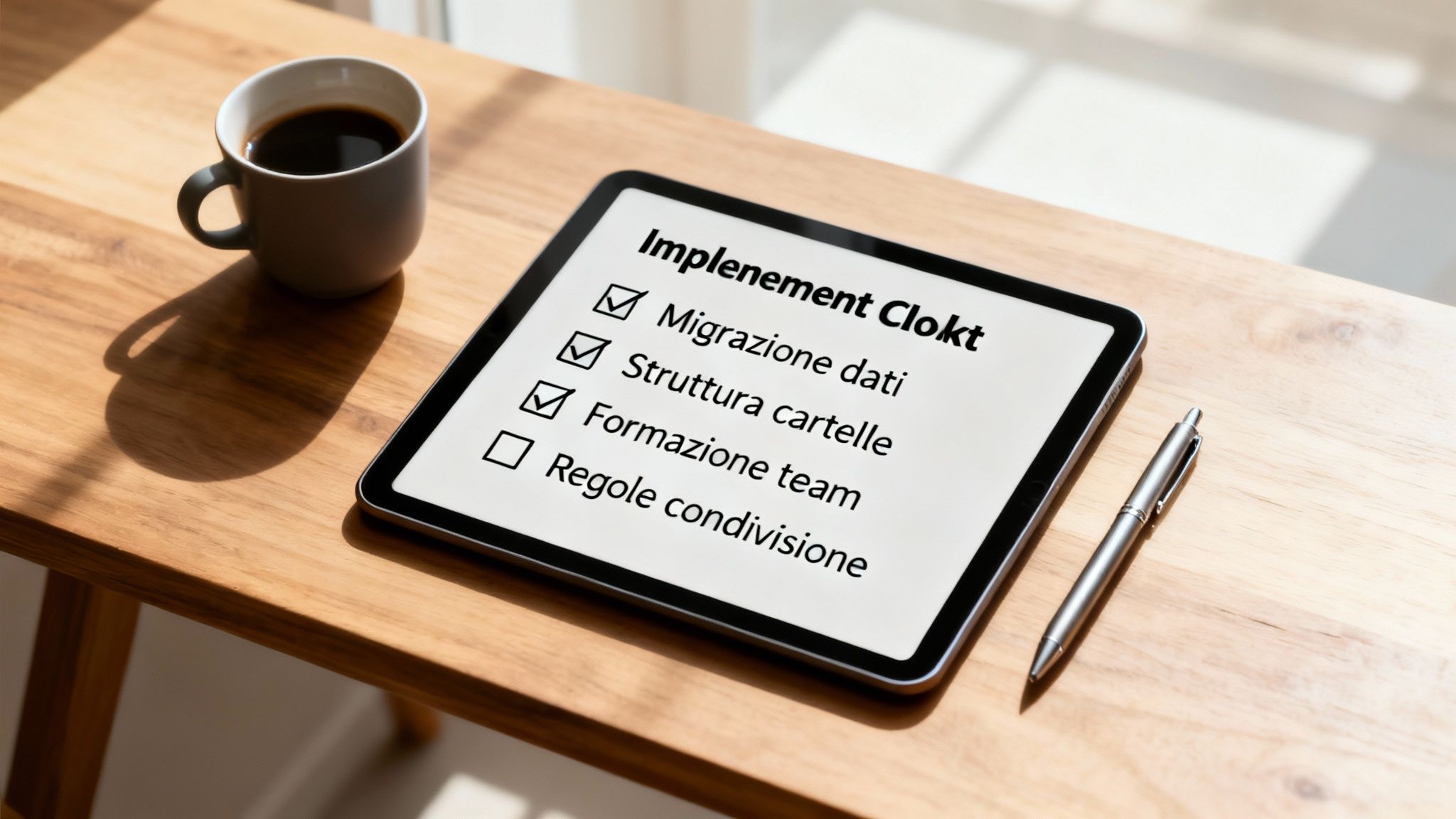
Moving data from old servers or other storage systems can seem like a daunting task. But with the right approach, it becomes a manageable process. The key is to take your time and proceed in stages.
Start with an honest analysis of your existing data. Which files are crucial and need to be migrated immediately? And which ones are now obsolete and ready to be archived? This digital "decluttering" is a golden opportunity to clean up and start again with a tidy foundation. Tools such as Microsoft's SharePoint Migration Tool (SPMT) can automate much of the work, but the initial strategy is up to you.
Once your files are in the cloud, how do you organize them? A chaotic folder structure is the quickest way to render even the most powerful tool useless.
Before you even begin the migration, design a standard, intuitive folder structure that makes sense for the entire company. Think of clear, consistent names for files and folders, perhaps based on departments, projects, or customers. Good organization from the outset drastically reduces the time people spend searching for information.
A well-designed folder structure is not a technical detail, but the foundation of an efficient digital archive. It works like signage in a large building: it guides people exactly where they need to go, without confusion.
The adoption of digital tools is a top priority for Italian companies. According to the Work Trend Index,83% of Italian leaders consider this year to be crucial for digital strategies, and 79% will invest in solutions such as OneDrive to improve productivity.
The success of OneDrive for Business depends on how well your team uses it. A training session is not optional, but an investment that pays dividends.
Organize hands-on workshops to showcase the features that really matter:
Finally, establish clear guidelines. Define what can be shared externally, how sensitive files should be handled, and what best practices for collaboration are. These rules create a safe and consistent work environment for everyone. If you're looking for a model to guide the adoption of new technologies, our 90-day roadmap for integrating artificial intelligence offers an excellent replicable framework.
When considering adopting a tool such as OneDrive for Business, it's normal to have some doubts. Here I have compiled the most common questions I hear from SMEs, with clear and direct answers, to give you the peace of mind you need to make your decision.
The real difference isn't so much in the price, but in the value you get. OneDrive for Business isn't a standalone product, but an integral part of Microsoft 365 business subscriptions. Its cost per user reflects a package of tools designed for the workplace.
While the personal version is often free (but with limited space), the Business version gives you 1 TB of space for each user. But it's not just about space: you get enterprise-grade security tools, centralized administrative controls, and full GDPR compliance. It's an investment, not an expense, designed to help you work professionally and securely.
No, as long as you plan the process carefully. Microsoft provides free tools such as the SharePoint Migration Tool (SPMT), which was created specifically to simplify and automate the transfer of data from the old to the new system.
The secret to a stress-free migration? Preparation. You need to decide in advance which data to move, think about how to organize it in the new cloud folders, and, most importantly, explain to your team how the new system works. For more complex projects, a Microsoft partner can guide you step by step, ensuring zero disruption to your work.
Absolutely. Security is the cornerstone of OneDrive for Business. Microsoft guarantees that all data is protected by encryption, both when it is stored on their servers (at rest) and when it is traveling over the internet (in transit).
In addition, the platform provides you with all the tools you need to comply with the GDPR. For example, you can choose to store your data only in European data centers or set specific rules on how long to keep it. It is the combination of the security of the Microsoft platform and your correct configuration that ensures maximum protection.
Yes, and this is one of the most popular features. Thanks to a feature called "Files On-Demand, " you can decide which files and folders should always be available on your computer, even when you're offline.
You work on it normally, without a connection. As soon as you reconnect to a network, OneDrive automatically and silently syncs all the changes you've made. You don't have to do anything. This ensures continuous productivity, whether you're on a train, on a plane, or in a café with unreliable Wi-Fi.
Here are the key steps to remember to get the most out of OneDrive for Business:
Adopting OneDrive for Business is the first step: it centralizes, protects, and enables collaboration. The second step? Turn that data into a competitive advantage.
ELECTE is the AI analytics platform designed for Italian SMEs that want to extract real value from their data without hiring a team of data scientists. Connect your sources (including OneDrive), and the AI automatically creates visual reports and actionable insights.
Turn data into better decisions. Electe, an AI-powered data analytics platform for SMEs, transforms complex information into clear insights. Start your free trial now →

.svg)


.svg)
.svg)